
🚚 FREE DELIVERY IN UKRAINE • 📞 QUICK ORDER: +380 63 571 3650 • 📚 STEM KITS FOR HOME, SCHOOL AND CLUBS
🚚 FREE DELIVERY IN UKRAINE • 📞 QUICK ORDER: +380 63 571 3650 • 📚 STEM KITS FOR HOME, SCHOOL AND CLUBS
🚚 FREE DELIVERY IN UKRAINE • 📞 QUICK ORDER: +380 63 571 3650 • 📚 STEM KITS FOR HOME, SCHOOL AND CLUBS

The Complete Guide to Coding for Kids
Let's face it, coding is the language of the future. The modern industrial revolution has its roots in information technology,
Let’s face it, coding is the language of the future. Today’s industrial revolution is rooted in information technology, computing and STEM skills.
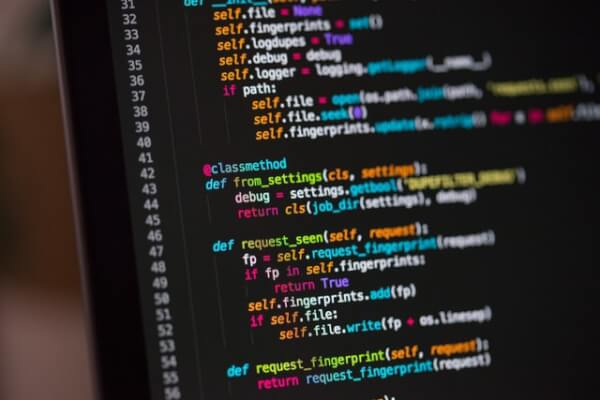
Artificial intelligence, robots, mind mapping are no longer strange foreign terms! They are right here, influencing and changing our lives like never before.
Coding for kids needs to be introduced gracefully at an early age so that it doesn’t distract them from their inherent skills and curiosity.
- What is coding?
- Why should kids learn to code?
- Websites for coding
- Програмування та програмування програм для Діти. А кодування — це словниковий запас, який розуміють ці машини. Таким чином кодування стає майже мовою.
We’re not saying your child has to be smart! But we definitely say that kids today need to understand programming like a second language. Basic coding skills are a must.
What is Coding for Kids?
Coding is the process by which you can manipulate your computer to perform the tasks you need it to do. Simply put, coding is like setting up instructions for a computer to execute commands.
These instructions must be provided in a language that a machine (in this case, a computer) understands. Maybe you can’t speak your native language and expect the machine to follow it unless there is already a code to decode your native language.
Coding involves writing a series of instructions to accomplish a task in a programming language, a language that computers understand. These languages can be Visual Blocks, C, Java, or Python.
Interestingly, coding for kids can be gamified to make it interesting and engaging for youngsters. Most coding for kids is done by visually dragging and dropping blocks that don’t require kids to write code.
Children should understand the logic of blocks and not worry about syntax. Once they’ve mastered visual drag-and-drop programming, transitioning to mainstream programming languages like C, Java, or Python becomes easier for kids.
Why should kids learn to code?
1. Our future depends on it!
Think self-driving cars, automated refrigerators that order groceries, robotic arms that perform transactions, AI robots that write legal documents… technology is all around us.
With these advancements in technology, STEM skills will have an edge in the future, making learning to code indispensable.
Learning the basics of programming will be integral. help kids lay a strong foundation in STEM skills, as most technologies are going to integrate or use computing in one way or another.
2. Coding is great for academic skills
Are you interested in developing skills such as critical thinking, logical analysis and problem solving? Try programming for kids!
Coding is the language of machines that do not understand hidden meaning and emotions. So, for communication, you need to be precise, logical and clear in your thoughts. All this forms the skills of critical and logical thinking.
3. Coding helps develop communication skills
Communication skills such as collaboration, teamwork, adaptability and active listening can be easily developed through coding. Learning to code gives kids the chance to collaborate and work together in teams, helping them develop important communication skills (which often go missing!).
4. Coding promotes creativity
When it comes to learning programming, there is no one-way street! You can code the same program using many languages, applying different operations and logic. Another important aspect of coding is that it is process-oriented, not necessarily product-oriented.
It develops creativity and provides the necessary impetus for imagination and divergent thinking.
5. Coding strengthens math skills
Mathematical skills are an important component of the future. We all need basic math skills to survive our daily routine. One of the most important aspects of learning programming is organizing, analyzing, and manipulating data to achieve a desired result.
These are key math skills, and coding works on them in a fun, hands-on way. Coding is just one way to learn and develop a genuine interest in math.
6. Creates resilience and a growth mindset
Debugging and testing is an important part of coding. These two things are integral to programming and teach kids to be resilient, not to give up and work through their mistakes, building resilience and a growth mindset.
Related: Learn how Design Thinking for Kids affects their growth mindset and creative problem solving.
Coding websites for kids
Kids of any age can learn to code. There are a number of coding websites for kids – free and paid – specifically designed to help kids understand and learn the basics of coding.
Most coding websites for young kids offer drag-and-drop programming. For older kids looking to improve their coding skills, text-based coding websites are a great choice.
Online coding apps for kids
There are many options available online to learn how to code. Highly interactive and engaging, these programming apps gamify coding.
You can start with free online programming programs and progress to paid programming programs for kids, depending on your child’s skills and interests. Perfect for distance learning, these online programming apps and websites for kids offer a wealth of computing skills for kids.
Programming classes for children indoors without a screen
If you’re concerned about increased screen time and don’t really like coding websites for kids, then offline coding classes for kids are for you.
Simple and easy, these programming lessons for kids are easy. customizable and can be made using common household items.
1. Coding in a cupcake pan
This is one of the easiest programming exercises and a great way to teach kids how to code. What you need:
- Form for cupcakes
- Paper
- Scissors
- Marker
- Small figurines/pom-poms
Step 1: Draw circles on the paper according to the number of muffin tins on the baking sheet.
Step 2: Cut out circles and draw arrows on each circle cutout. These are your direction cards.
Step 3: Mark the start and end points on the muffin tin. Place your figures (pom poms or any other props) at the start and end points.
Step 4: Using the cutout, trace the path from the start point to the end point.
This pathfinding coding exercise is a great way to introduce them to algorithm design.
Related: Check out fun preschool learning activities to teach literacy, math, and STEM for your kindergartner.
What is an algorithm?
An algorithm is a series of instructions given to a computer to perform a task.
The paths you trace with the cue cards in the above exercise together form an algorithm to reach the end point, starting from the starting point.
You can make the exercise more difficult by placing obstacles between them on the cupcake pan. Further adding restrictions or conditions such as “only 2 left turns allowed” will further increase the difficulty level of the exercise.
This open-ended, plug-and-play coding exercise for kids stimulates creativity and develops critical and logical thinking while teaching kids to code.
2. Bracelet with name code
This is a creative, hands-on coding craft that lets your kids create their own name bracelets using ASCII codes.
ASCII stands for American Standard Code for Information Interchange. These codes are a sequence of ones and zeros (binary encoding) that computers understand.
What you will need:
paper
pencil
white, blue and red beads
thread
Step 1: Using the ASCII code table, write the ASCII codes that correspond to the letters of your name.
Step 2: Use blue beads to represent 0 and red beads to represent 1. White beads represent space.
Step 3: String the beads according to the letters of your name. Mark the space between the two letters with a white bead.
This exercise will help children learn to encode (and decode!) letters in binary. It broadens their views and understanding of computers and the language it understands. This is a great activity created by programming clubs for kids.
3. Three little pigs
This coding exercise is based on the classic tale “The Three Little Pigs” and makes coding really fun for kids. You will need a spreadsheet (a math notebook works great) and a pen.
Step 1. Read “The Three Little Pigs” to the child.
Step 2: On the grid sheet, draw three houses similar to the straw, stick and brick house of the fairy tale.
Step 3: Draw a wolf in the bottom corner of the grid sheet.
The task for your child is to follow the plot and trace the shortest path followed by the wolf. They can use directional arrows to mark the path.
This exercise helps children think and solve problems. They need to find the shortest route while satisfying the constraints (plot sequences), thus developing problem-solving and critical thinking skills.
4. “Draw with me” programming exercise
This is a fun offline programming exercise for kids that is not only great for building algorithm development skills, but also for concentration and analytical skills.
Another activity that combines art with programming for kids, Draw With Me can be played as a fun break for kids to refresh tired minds.
All you need for this coding exercise is paper and pens.
Step 1: Draw a simple picture like a dog or a cat on a piece of paper and give it to your child. Your child is the coder and you are the computer.
Step 2: Sit with your backs to each other.
Step 3: The job of the coder (your child) is to give sequential instructions to the computer (you!) to help it draw the picture.
Step 4: Compare the picture you drew only with your child’s instructions (no cheating here!) with the original picture.
As easy as it may seem, it is a task to give consistent instructions to get the right drawing. This gives the child an idea of how specific and precise computer algorithms need to be in order to accomplish the desired task. Programmers have to pay attention to the smallest details because the computer will blindly follow their instructions.
5. Лабіринт із зав’язаними очима. Безумовно, одна з найвеселіших ігор для програмування без підключення, ця гра перетворить вашого малюка на робота, а вас – на програміста.
This simple STEM exercise helps develop sequencing and algorithm development skills. A sequence means a sequence of steps in an algorithm.
What you need for this coding game:
a lot of space
bubble wrap (or masking tape)
blindfold
Step 1: Use bubble wrap to create a maze on the floor. Be generous with the layout of the maze as your robot has to go through it.
Step 2. Blindfold the child and lead him to the beginning of the maze.
Step 3. Now give your child instructions on how to help them get through the maze without stepping on the bubble wrap. Every time your robot steps on the bubble wrap, he/she must go back two instructions. The reason we chose bubble wrap is because it makes a popping sound every time the robots make a mistake. Funny, really!
You can give the following instructions:
Take one step forward;
Turn right/left;
Once your robot reaches the end point, the task is complete. Now you turn into a robot and follow your child’s directions to get through the maze.
What a fun way to teach kids how to code and keep boredom at bay on a rainy or hot sunny day!
6. Peanut Butter Jelly Sandwich Coding Exercise
The challenge here is to code a robot that will make you a peanut butter jelly sandwich. This offline coding activity can also be played as a fun coding game.
To play the game, you first need two players pretending to be a robot and a programmer. Next comes the hard part… developing the algorithm. Algorithms should be precise and follow consistent steps to help your job (you!) complete a task.
It’s an extremely silly way to teach kids to code, develop algorithms, and sequence. Your kids will make a lot of mistakes while making the peanut butter jelly sandwich algorithm. The most difficult thing for you (work) is to follow the instructions clearly and not to assume anything (even common sense!).
What a witty way for kids to learn to code! We bet your kids (and you!) will fall off their chairs laughing!
7. Treasure hunting Coding
Turn coding for kids into an adventurous treasure hunt. This hands-on, offline programming exercise works on building logic and designing algorithms.
For this exercise you need counters (we used Connect4 counters) or bottle caps.
Step 1: Create a 6×6 grid with counters.
Step 2: Mark an “S” counter to mark the starting point and draw a treasure chest on top of the other to represent the treasure. Alternatively, you can use colored counters to mark the starting point and treasure chest.
Step 3: To make the treasure hunt difficult, draw obstacles “O” on some tiles and energy bars “E” on others. All obstacles must be avoided and the player must eat all the energy bars before reaching the treasure.
Step 4: The task is to design an algorithm to reach the treasure satisfying the conditional statement in step 3.
8. If Then Else coding exercise
This is a great offline programming exercise for kids who have mastered the basics of coding and are ready to move on to the next step, conditional statements.
If-Then-Else is a conditional statement used in coding to perform certain tasks when a specific condition is met. This STEM activity is best played in groups.
You need colored paper and three bowls.
Step 1. Cut strips of colored paper. You need three colors. We used blue for If, green for Then and pink for Else.
Step 2: Write If conditions in blue, Then statements in green, and Else statements in pink.
Example for If-Then-Else statements:
If statement: If you wear<blue>
If you have<long/brown> hair
If you like
Then statement: Then name the<blue>object
Then<clap>three times
Then <sing a song>
Other Instructions : Otherwise <dance> like a <monkey>
Otherwise, make <rabbit ears>
Otherwise, do <10 jumps>
Step 3: Place the coded strips in different bowls and have the children start picking out the chips.
The child must first select from the IF bowl, and depending on the condition he fulfills, he must select one of the other two bowls.
This coding exercise helps children understand how conditional statements work and where these conditional statements can be used during coding. It also helps children decipher logic and understand the cause-and-effect relationship between different variables.
9. Simon Says Coding Activity
Imagine turning a popular game into programming for kids. Sounds like fun, doesn’t it! With a few tweaks, you can turn this classic game into group coding.
As in the original version of Simon Says, one person must give directions and the children must follow. But here we configure it to call the teacher “programmer” and the children “computers”.
Computers must follow exactly what the programmer says and what follows “Simon says…”. Any instruction that does not follow “Simon says…” should be ignored.
It is not as easy as it may seem when this programming game starts. To see how your minicomputers react, push in an instruction or two without the Simon say prefix.
In addition, computers must check for conditional statements and continue to perform tasks as instructed. For example, a programmer says “Simon says jump”. Your computers must continue to jump until the programmer provides the next valid instruction. Children who stop before the next correct instruction will have to exit the game and wait for the next instruction to rejoin the game.
This group coding exercise is especially useful for building an understanding of how a computer works and how algorithms need to be developed to help these supermachines run.
10. Art coding activity
This STEM activity adds an artistic dimension to coding for kids to make it more hands-on and develop logical thinking. It’s basically decoding where your child has to draw according to a given code.
You need blocks, paper, pencil and colors.
Step 1: Create a code sheet for the shapes that match the number on the die.
1 = Circle; 2 = square; 3 = Oval
4 = Rectangle; 5 = triangle; 6 = diamond
Step 2: Give the child paper, pencil and blocks. The task is to draw an animal using shapes.
Step 3: Roll the dice and draw according to the shape code. Repeat this step until your animal shape is complete.
Step 4. At this step, you need to color the shape of the animal. But first you need to create a color code, just like a shape code. Here is an example:
1 = Red; 2 = purple; 3 = green
4 = orange; 5 = blue; 6 = yellow
Step 5: Roll the die and color the animal according to the color code until your animal is complete.
11. Encrypted messages
Electronics use ASCII code to understand our language. Just like you use English or your native language to communicate, machines depend on the ASCII code.
Anything communicated to machines is first converted to the appropriate ASCII code, the language of machines, and then the instructions are executed.
This is an exciting and fun no-strings-attached coding exercise for kids that challenges them to create their own secret messages that can only be interpreted with a code key. You will need a pen and paper for this task.
Step 1: Write all the letters from A to Z.
Step 2: Write the numbers under the letters starting from 1. We choose Hindi numbers to make it more interesting.
Step 3: To write the code, simply replace each alphabet with the corresponding numeric code. Each alphabet will be separated from the next by a dot.
12. Origami coding exercise
Origami is the Japanese art of paper folding. It allows you to create paper shapes (objects) by following a sequence of steps. This age-old art is very similar to how an algorithm works. As such, this makes it the perfect STEAM activity for kids who want to learn to code.
Step 1: Make a simple origami that you think your child can make by following your instructions.
Step 2. Sit facing each other.
Step 3. Start making your origami. Give instructions for each fold you make. The main thing is not to look at each other’s work.
Step 4: Compare the origami projects at the end to see if your child understood your instructions correctly.
This offline coding learning method improves sequence and algorithm development skills. Your instructions (algorithm) should be clear, precise and follow the correct order of steps.
Outdoor coding classes for kids
13. Backyard Coding Hopscotch. Рух не лише чудовий для тіла, але й допомагає дітям краще вчитися.
This version of coding activities for kids turns the classic game of the classics into a STEM game to help children understand how computers work.
Draw the usual classics with chalk on the porch or in the yard. The goal is to go through the classics while following the code. You will need at least two players. One will be a programmer and the other a programmer.
The task of the coder is to determine the landing field on the classics and develop an algorithm for the computer to reach the landing field (goal).
Step 1: The encoder identifies the target field and draws instructions with arrows next to the classics to help the computer reach the target field. However, do not share the goalie box number.
Step 2: The computer (the second player) follows the instructions to reach the goal post. The encoder confirms whether the computer has reached the correct target. If not, ask the computer to perform debugging, which means backtracking to reach the starting point. Can they do it by following the instructions in reverse order?
This step will help the computer find the error (wrong step), thus developing critical programming skills for debugging.
Take turns playing with the programmer and the computer to build algorithm development, sequencing, and debugging skills.
14. Outdoor Treasure Hunt Coding Exercises
This outdoor treasure hunt exercise is a continuation of the classic treasure hunt. The rules of the game remain unchanged. There is a treasure (a small prize like chocolate) that needs to be unearthed.
But instead of giving standard hints like in the classic game, give coding instructions like:
If
The red flower is to your left
Then
Take 5 steps forward
Otherwise
Turn right
If conditional statements are too much for you, use simple instructions like:
Jump 5 steps forward
Take 6 steps to the right
The crab will crawl back 10 steps
This outdoor programming exercise is super fun and gets kids physically active while teaching them sequencing and algorithm development.
15. Follow me coding exercise
This outdoor coding exercise is a great way to teach kids about conditionals. All you need is a hula hoop, jump rope, cones or ball. It can be played without this prop, but it’s definitely more fun with this prop outdoors.
Your child must follow your instructions and complete the tasks accordingly. Start with simple and easy instructions such as “If I jump, you jump”, “I take 5 steps, you take 5 steps”. Once your little computer is up and running, level up by giving conditional instructions like “If I jump 5 times, then you’ll jump, otherwise you’ll clap.”
A super fun and silly way to practice algorithms, this open-air coding exercise is laugh-out-loud fun.
16. Water splash coding exercise
This is definitely the most fun outdoor coding exercise ever. As the name suggests, this involves splashing water. Another interesting part of this outdoor programming game is that parents become robots and children become programmers.
For this outdoor STEM activity you will need:
chalk
water balloon/water gun
outdoor space
draw a 6×6 grid (or any other size) with chalk on your driveway or any open space. This grid is your coding base. Shade a few grid squares with chalk. These shaded squares are splash capsules.
The robot stands on the first square, and the goal of the programmer is to lead the robot to the splash pod. As soon as the robot reaches the sprinkler, programmers spray water or throw a water balloon at the robot.
The most difficult thing is that the robot only follows the instructions of the computer. So, the programmer must be very specific and precise when giving instructions. Use the following guidelines:
Take 2 steps forward
Turn right
Move 1 step to the left
Take 3 steps back
We can guarantee that your child will have tons of fun programming their robot (you!) to splash pods.
Programming games and toys for children
1. Code-a-Pillar toy
This is a great toy to help your kids learn to code. It comes with a cute, colorful caterpillar that kids can code as they create the sequence.
2. Osmo Coding Jam
This is an award-winning coding game that will bring your child’s code to life. Although it’s expensive, it’s a great coding game for ages 6 and up.
3. Harry Potter coding wand
It couldn’t be more exciting. This game brings the magic of Harry Potter to life with the help of a wand! We can’t think of anything more attractive and fun than this. This programming toy lets you create your own spells and then bring them to life. Just WOW!
4. Future Coders cube accumulators
This kid-friendly programming toy lets kids build their own robots by stacking coding blocks on top of each other. Great for little kids!
5. Botley The Coding Robot
Botley, the robot coder for kids, is a great screen-free coding toy. Suitable for ages 5 and up, it teaches young children to code their own robot while learning algorithms and sequencing skills.
6. Code Piano
This is a great STEM coding toy for older kids (ages 8+) that teaches them advanced coding skills. It comes with 14 online coding projects and is a great combination of hands-on electronics and coding. Highly recommend!
7. Dash Robot
This kid-friendly coding robot is sure to get your kid interested in programming. Learn to give voice commands, learn command statements, loops and conditions with this easy-to-code toy robot. Suitable for children from 8 years old.
8. Sphero
This app-enabled robot toy for kids is about the size of a ping-pong ball but has tons of coding skills. Widely used in schools, this STEM coding toy is great for learning drag-and-drop, Javascript, and Swift coding.
Related: Also check out How to Use Ozobot for Coding in the Classroom.
9. Code ’n’ Learn Kinderbot
Want a way to introduce your kindergartner to coding without adding screen time? Try this behind-the-scenes programming toy to immerse yourself in the world of coding while learning kindergarten skills.
10. ThinkFun Code Master
This screen-free coding game will encourage your child to learn to code through play. I highly recommend this way of learning programming. Suitable for children from 8 years old.
11. CoderMindz
Billed as the first artificial intelligence coding game, CoderMindz introduces AI concepts and coding basics like loops and algorithm design to kids ages 6 and up. This game, created by a 9-year-old girl, was published by all major media and news agencies.
Also, check out our great list of the best STEM toys for kids to bring STEM learning into the home!
Programming books for children
Programming books are a great way to help kids understand coding concepts outside of the box. This traditional way of learning, however, has evolved to make learning more fun and exciting.
So instead of boring text, you’ll find coding games and puzzles in these books to help your child learn to code without screens.
Tip: Pair these coding books with fun STEM books for kids for a well-rounded learning experience.
1. My first coding book
As the name suggests, this book is intended for young readers, primarily for kindergarten children. It introduces children to programming through exercises and working with paper.
2. The first coding book for children
Filled with colorful illustrations, this book challenges young readers, ages 4-7, to solve games using the basics of programming.
3. How to code a sandcastle
This is a great humorous story to get your kids interested in programming. It takes kids coding, introducing them to coding terms in a fun way.
4. Hello Ruby: Adventures in Coding
This is a great book to introduce children to the world of computing. It introduces children to the principles of coding through storytelling and action.
5. Computer coding for children
This book is designed to develop serious programming skills in children ages 8 to 14. This is a great start to programming in Scratch and Python.
6. Code for teenagers
Planning to teach your teenager JavaScript? This is a great coding book for those new to JavaScript programming, and it definitely won’t disappoint your young adults.
7. Python for children
This book will help your tech geek get started with Python. This book takes the mystery out of Python and makes it easy to understand.
8. Familiarize yourself with coding
Creating an app or website with your child in mind? This is a great start to help your child learn HTML, JavaScript and CSS.
9. How to become a programmer
This is a great activity-packed target book for ages 7 and up. This STEM book for kids will teach them what it takes to become a programmer.
10. Disney Coding Adventures
Get practical coding skills by practicing writing algorithms for none other than Disney characters! This book will help kids learn to code while having fun.
11. How to Code: A Step-by-Step Guide to Computer Coding
This book, as the title suggests, is suitable for ages 7 and up and is a step-by-step guide to coding and learning the basics of computing. Includes online resources.
To you
When kids learn the basics of programming and coding at a young age, they gain the versatility, flexibility, and linear and critical thinking skills needed in every industry today.
This gives them an advantage not only in academics, but also in careers in any field. Why delay the inevitable without introducing them to a computer language as soon as possible?
This post may contain Amazon affiliate links, which means we earn a small (< 5%) commission on your purchase.